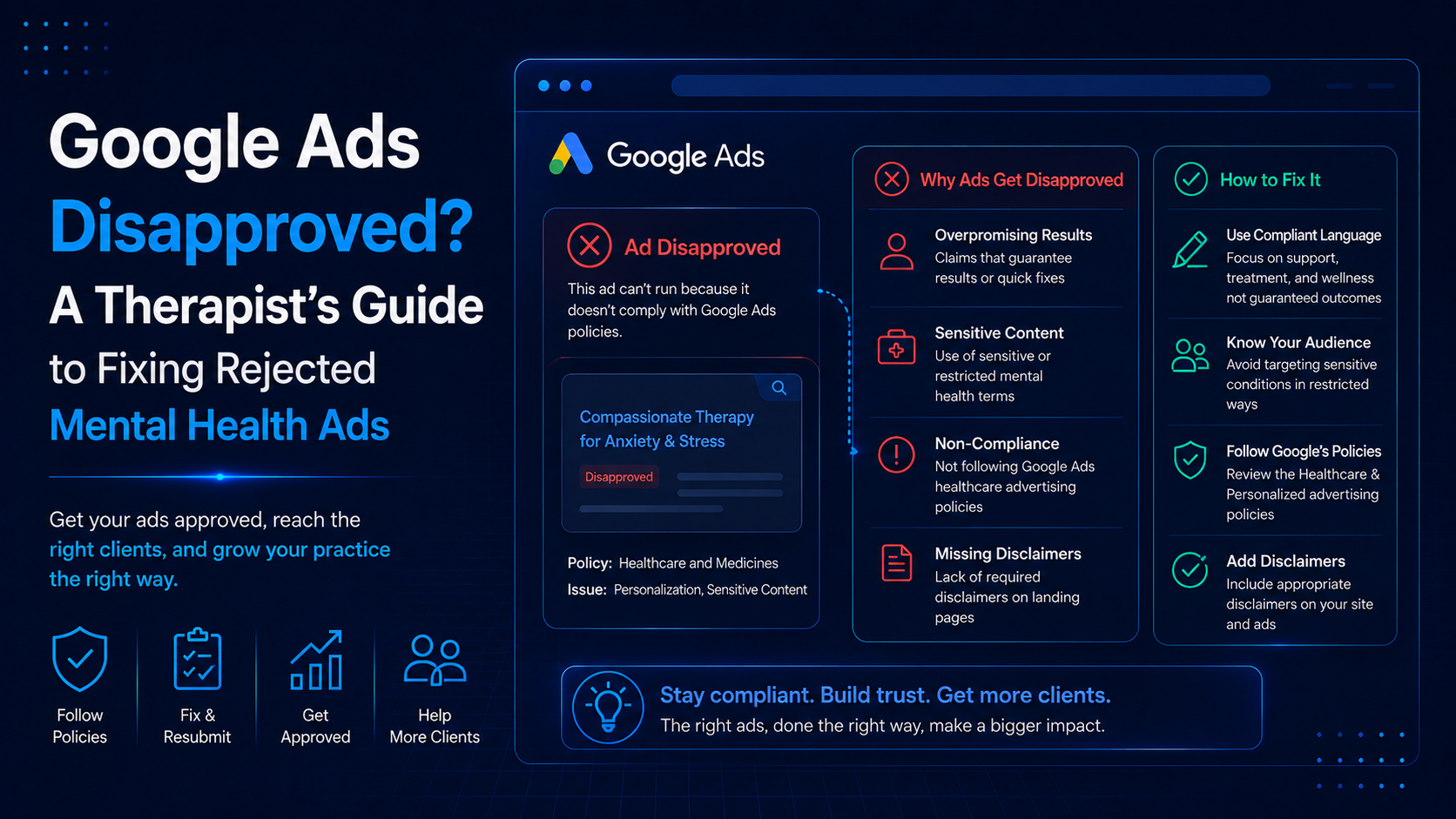
You built a campaign, hit publish, and instead of clients you got a red “Disapproved” label with a vague policy reason attached. The campaign stalls, the budget sits idle, and it is not obvious what you did wrong or how to get moving again. If that is where you are, you are in good company: mental health ads get flagged more often than almost any other category, and the reasons are usually fixable within a day.
This guide explains why therapy ads get rejected, how to find the exact reason, how to fix and resubmit, and how to keep it from happening again.
Quick answer: Most therapy ad disapprovals come from a short list of causes: copy that implies the reader’s condition, unrealistic claims, editorial formatting issues, landing page problems, or advertising substance use services without LegitScript certification. Find the exact policy reason in Policy Manager, fix that specific element, and resubmit. Most reviews clear within one business day.
Key Takeaways
- Mental health is a sensitive, restricted category, so therapy ads face extra scrutiny and get disapproved more often than most.
- Find the exact reason first. Policy Manager shows the specific policy your ad violated. Fixing the wrong thing wastes time and can trigger more reviews.
- The most common cause is ad copy that implies the reader’s condition, such as “Struggling with depression?”
- Advertising substance use or addiction services requires LegitScript certification. Without it, those ads are automatically rejected, even for otherwise legitimate practices.
- Fixing and resubmitting is usually faster than a formal appeal. Most reviews complete within one business day.
- Previously approved ads can be disapproved later after policy updates, so audit your account periodically.
Stuck with disapproved ads and losing time? MHIS reviews therapy ad accounts, identifies the exact policy issue, and gets campaigns compliant and running again. Book a free consultation with MHIS.
Why Mental Health Ads Get Disapproved More Than Most
Google treats health, including mental health, as a sensitive and restricted category, which means therapy ads are reviewed more strictly than ads for a coffee shop or a law firm. Automated classifiers, semantic analysis, and landing page crawlers all scan your ad and destination, so a small policy conflict that another industry might slip past will stop a therapy ad cold.
This is not a sign that something is wrong with your practice. It is simply how the system works for a category built around vulnerable searchers. Google’s stated goal is to protect users and comply with the law, so it errs on the side of caution with health content. Across all industries, a large share of ads fail policy review, and health-related ads sit at the stricter end of that enforcement. Understanding the rules is the difference between a channel that works and one that keeps stalling. For a broader view of the channel, see our guide to Google Ads for therapists.
First, Find the Exact Reason for the Disapproval
Before you change anything, find the specific policy your ad violated. Guessing is the most common mistake, and fixing the wrong element wastes time and can trigger additional reviews. Google tells you exactly what is wrong if you know where to look.
Here is how to find it:
- In your Google Ads account, open Tools, then Troubleshooting, then Policy Manager. This gives you a centralized view of every policy issue across your campaigns.
- Alternatively, go to your Ads view, find the disapproved ad, and hover over the Disapproved status in the “Status” column. A description of the issue appears.
- Select Read the policy to see the exact rule and what it requires.
The disapproval can come from three places: your ad copy or assets, your keywords, or the landing page the ad points to. The policy detail tells you which one, so you can fix the right thing the first time. Google’s official walkthrough on how to fix a disapproved ad or appeal a policy decision covers the steps for each policy type.
The Most Common Reasons Therapy Ads Get Disapproved
Ad copy that implies the reader’s condition
This is the single most common mental-health disapproval. Google’s personalized advertising policy, sometimes shown as a “personal hardships” issue, prohibits ad copy that assumes or implies a person’s physical or mental health status. A headline like “Struggling with depression?” or “PTSD keeping you up at night?” gets flagged immediately.
The rule exists to stop advertisers from targeting people based on sensitive struggles. The fix is to speak about your services rather than the reader’s assumed condition.
How to fix it: Rewrite the copy to be neutral and service-focused. Instead of “Struggling with anxiety?”, use “Licensed anxiety therapy in Denver. Now accepting new clients.” Describe what you offer, your credentials, and your location, and end with a clear action. You can read Google’s own explanation on its Health in personalized advertising policy page.
Unrealistic claims and misleading content
Ads that promise outcomes, guarantees, or cures violate Google’s misrepresentation policies. Therapy copy like “Cure your anxiety in six weeks” or “Guaranteed results” will be disapproved, and unverifiable statistics can trigger the same issue.
Mental health outcomes cannot be guaranteed, and Google’s system is built to catch claims that overpromise or mislead.
How to fix it: Remove any guarantee, cure claim, or fixed timeline. Keep your language honest and specific, for example “Evidence-based therapy for adults” rather than “Proven to eliminate anxiety.” If you cite a statistic, make sure it is accurate and supportable, or leave it out.
Advertising substance use or addiction services without certification
This is the disapproval that blindsides behavioral health practices. Google’s Healthcare and Medicines policy requires LegitScript certification before you can advertise substance use disorder treatment, including detox, rehab, residential or outpatient programs, medication-assisted treatment, and recovery services. Without certification, those ads are automatically rejected at the review stage, with no workaround.
Here is the part that catches general therapists: mental-health-only advertising, such as anxiety, depression, trauma, or couples therapy, does not require LegitScript. But the moment your ads or website mention substance use, addiction, or co-occurring disorders, you trigger the requirement, and your ads get disapproved until you are certified.
LegitScript is a third-party certification recognized by Google, Meta, and Microsoft. The application typically takes 30 to 60 days and renews annually, and it verifies your licensing and compliance rather than clinical quality.
How to fix it: If you provide substance use treatment, pursue LegitScript certification, since there is no way around it for those services. If you are a mental-health-only practice that got flagged because your site or ad copy references substance use, remove that language from the ads and landing pages you are promoting, or pursue certification if treating addiction is a real part of your practice. When certification and compliance get complicated, a mental health marketing partner can manage the process and the campaign together.
Naming prescription medications
Google restricts prescription drug names in ad copy. A psychiatric practice that names a specific medication, such as an antidepressant or an addiction medication, in its ads can be disapproved under the Healthcare and Medicines policy unless it holds the required certification.
How to fix it: Remove specific drug names and describe your services at a general level, for example “Psychiatry and medication management, board certified,” rather than naming particular medications. Keep the focus on the service, not the substance.
Trademark issues
Using a trademarked term in your ad text can get the ad disapproved. This often happens when a therapist includes a competitor’s brand name, a well-known directory, or a medication brand in their copy.
How to fix it: Remove the trademarked term from your ad text. If you have a legitimate reason and authorization to use it, the trademark owner can submit an authorization to Google, but the simplest fix is to write your ads without it.
Landing page and destination problems
A large share of disapprovals are not about the ad at all; they are about where the ad sends people. If your landing page is broken, returns a 404, loads too slowly, blocks Google’s crawler, or does not match what the ad promises, the ad gets disapproved for a destination issue.
Google reviews the destination as part of the ad, so the page has to work and has to align with the ad.
How to fix it: Confirm the URL loads correctly on desktop and mobile, fix any broken links or errors, make sure your site does not block Google’s crawlers, and ensure the page matches the ad’s message. It also helps to have clear business information and a privacy policy on the site, which supports both compliance and trust.
Editorial issues
Google’s editorial rules catch formatting problems that have nothing to do with health. Ads with excessive capitalization, repeated punctuation, gimmicky symbols, or unusual spacing get disapproved on style alone.
How to fix it: Write in standard sentence case, avoid ALL CAPS except for standard acronyms, remove excessive punctuation like “!!!”, and keep spelling, spacing, and grammar clean. These fixes are quick and usually clear the disapproval fast.
How to Fix and Resubmit a Disapproved Ad
The process is the same regardless of the policy: find the reason, fix the specific element, and submit for review. Editing an ad automatically sends it back for review, and in most cases this is faster than a formal appeal. Here is the step-by-step.
- Open Policy Manager under Tools, then Troubleshooting, and review every disapproved ad and the policy affecting it.
- Read the exact policy so you know precisely what to change.
- Fix the specific element, whether that is the ad copy, an asset, a keyword, or the landing page.
- Save your changes, which triggers an automatic re-review.
- Or appeal, if appropriate. In Policy Manager, on the “Policy issues” tab, select Appeal, then choose Made changes to comply with policy or Dispute decision, and submit. You can also select disapproved ads in the Ads view, click Edit, and choose Appeal policy decision.
- Track the status in the “Appeal History” tab. You will see “In progress” while it is reviewed and “Review complete” when it is done.
Most edited ads are reviewed within one business day, though complex or manual cases can take two to three business days, and formal appeals sometimes take longer. Disapproved ads do not serve while under review, so fixing them promptly matters.
Disapprovals are a normal part of running ads in this category, but they eat time and stall momentum. MHIS handles the policy side for therapy practices, so your campaigns stay compliant and keep running instead of getting stuck. See how our Google Ads management for therapists works.
When to Appeal Versus When to Just Edit
If you genuinely violated a policy, fix the issue and resubmit; that resolves most cases and is faster than an appeal. Only choose “Dispute decision” when you believe your ad was flagged in error and is already compliant. Appealing without making changes to something you did violate wastes a review and can hit appeal retry limits.
A simple rule of thumb:
- You made a mistake in the copy or page: fix it, save, and let the automatic review run.
- You believe the ad complies and was wrongly flagged: appeal with “Dispute decision” and reference the specific policy and how your ad meets it.
- You keep getting disapproved after honest fixes: you may be missing a certification requirement, or the issue may be account-level, in which case contact Google Ads support.
Being specific in an appeal helps. Reference the exact policy, explain how your ad complies, and, for restricted categories, include documentation such as a LegitScript certificate or relevant license.
How to Prevent Disapprovals in the First Place
Prevention is faster than repair. Build campaigns that comply from the start:
- Write neutral, service-focused copy that never implies the reader’s condition.
- Avoid guarantees, cure claims, and fixed timelines, and keep any statistics accurate.
- Keep prescription drug names out of your ads unless certified.
- Leave trademarked terms out of your copy.
- Make sure your landing page loads, matches the ad, and includes clear business information and a privacy policy.
- Follow editorial basics: sentence case, clean punctuation, no gimmicks.
- Complete Google’s advertiser verification so your account is in good standing.
- Get LegitScript certified if you advertise substance use or addiction services.
- Audit your account periodically, because previously approved ads can be disapproved after policy updates.
Building compliant campaigns from day one is far easier than untangling a stalled account. Our step-by-step guide on how to create a Google Ads campaign for a therapy practice walks through the setup the right way.
Disapproval Reason to Fix: Quick Reference
| Disapproval reason | Common trigger | Fix |
|---|---|---|
| Personalized advertising / personal hardships | Copy implies the reader’s condition | Rewrite to neutral, service-focused language |
| Misrepresentation | Guarantees, cure claims, unrealistic outcomes | Remove promises; keep claims accurate and verifiable |
| Healthcare and medicines (certification) | Advertising substance use treatment without LegitScript | Get LegitScript certified, or remove substance use references from ads and site |
| Restricted content (medications) | Naming prescription drugs in copy | Remove drug names; describe services generically |
| Trademarks | Using a competitor or brand name in ad text | Remove the trademarked term |
| Destination not working or mismatch | Broken link, 404, blocked crawler, page differs from ad | Fix the URL; make the page load and match the ad |
| Editorial | ALL CAPS, excessive punctuation, gimmicks | Clean up formatting to standard style |
Frequently Asked Questions
Why do my therapy Google Ads keep getting disapproved?
Mental health is a sensitive, restricted category, so therapy ads face stricter review than most industries, and repeated disapprovals usually trace to one recurring issue. The most common is ad copy that implies the reader’s condition, such as “Struggling with anxiety?”, which violates Google’s personalized advertising policy. Other frequent causes are unrealistic claims, prescription drug names, trademarked terms, landing page problems, and advertising substance use services without LegitScript certification. If the same disapproval keeps returning, you are likely fixing the wrong element or missing a certification requirement. Open Policy Manager, read the exact policy affecting each ad, and address that specific issue. Once the root cause is fixed, the disapprovals typically stop.
How do I find out why my Google Ad was disapproved?
Google tells you the exact reason if you know where to look. In your Google Ads account, open Tools, then Troubleshooting, then Policy Manager, which shows every policy issue across your campaigns in one place. Alternatively, go to your Ads view, find the disapproved ad, and hover over the “Disapproved” label in the “Status” column to see a description of the problem. Select “Read the policy” to see the full rule and what it requires. The detail also tells you whether the issue is with your ad copy, an asset, a keyword, or the landing page, so you can fix the correct element. Always identify the specific policy before making changes, because fixing the wrong thing wastes time.
How long does it take Google to review a fixed or appealed ad?
Most edited ads are reviewed within one business day. Complex cases, or ads that require manual review, can take two to three business days, and during high-volume periods it may take longer. Formal appeals sometimes take several business days as well. When you fix an ad and save it, the edit automatically triggers a new review, so you usually do not need a separate appeal. While an ad is disapproved or under review, it does not serve, which is why resolving issues promptly matters. You can track the status in the “Appeal History” tab, where “In progress” means it is still being reviewed and “Review complete” means a decision has been made.
Can I appeal a Google Ads disapproval, and how?
Yes. In Policy Manager, open the “Policy issues” tab, select “Appeal” on the affected ad, then choose a reason: “Made changes to comply with policy” if you fixed the issue, or “Dispute decision” if you believe the ad was wrongly flagged. Submit, and track it in “Appeal History.” You can also select disapproved ads in the Ads view, click “Edit,” and choose “Appeal policy decision.” If the appeal link is not available, the policy does not support direct appeals, so make minor edits to trigger a review or use Google’s disapproved ads and policy questions form. Be specific in your appeal, referencing the exact policy and how your ad complies, and include documentation for restricted categories when relevant.
Why was my ad disapproved for “personalized advertising” or “personal hardships”?
This disapproval means your ad copy implies or assumes the reader’s health condition or hardship, which Google’s personalized advertising policy prohibits. Headlines like “Struggling with depression?”, “Anxiety ruining your life?”, or “PTSD keeping you up at night?” all trigger it, because they target people based on a sensitive struggle. The rule protects vulnerable searchers from feeling singled out. The fix is straightforward: rewrite the copy to focus on your services rather than the reader’s assumed condition. For example, replace “Struggling with anxiety?” with “Licensed anxiety therapy in your city, now accepting new clients.” Describe what you offer, your credentials, and your location, and close with a clear action. Neutral, service-focused copy stays compliant and generally performs just as well.
Do therapists need LegitScript certification to run Google Ads?
It depends on what you advertise. General mental health and therapy services, such as anxiety, depression, trauma, or couples counseling, do not require LegitScript certification. However, advertising substance use or addiction treatment, including detox, rehab, residential or outpatient programs, medication-assisted treatment, or recovery services, does require it, and without certification those ads are automatically rejected under Google’s Healthcare and Medicines policy. The catch for general practices is that mentioning substance use, addiction, or co-occurring disorders anywhere in your ads or website can trigger the requirement. LegitScript certification is recognized by Google, Meta, and Microsoft, typically takes 30 to 60 days, and renews annually. If addiction treatment is part of your practice, pursue certification; if not, remove substance use references from the pages you promote.
Can I mention medications like Suboxone or specific drugs in my ads?
Generally, no. Google restricts prescription drug names in ad copy, so naming a specific medication, whether an antidepressant, an anti-anxiety drug, or an addiction medication like Suboxone or Vivitrol, can get your ad disapproved under the Healthcare and Medicines policy unless you hold the required certification. This applies to psychiatric practices and behavioral health providers alike. The fix is to keep your copy at the service level rather than the substance level. Instead of naming a drug, describe the service, for example “psychiatry and medication management, board certified.” This keeps your ads compliant while still communicating what you offer. If medication-related advertising is central to your practice, you will likely need the appropriate certification before those ads can run.
What is a “destination” or landing page disapproval, and how do I fix it?
A destination disapproval means the problem is with the page your ad sends people to, not the ad itself. Common triggers include a broken link or 404 error, a page that loads too slowly, a site that blocks Google’s crawler, or a landing page that does not match what the ad promises. Google reviews the destination as part of the ad, so the page must work and must align with the ad’s message. To fix it, confirm the URL loads correctly on both desktop and mobile, repair any broken links or errors, make sure your site does not block crawlers, and ensure the page delivers what the ad offered. Adding clear business information and a privacy policy also helps with both compliance and visitor trust.
Will editing my ad to fix a disapproval hurt my performance or reset anything?
Editing an ad to fix a policy issue is the correct move and does not harm your account standing. Saving the edit automatically submits the ad for a new review, which is usually faster than a formal appeal. In some cases, significant edits to an ad can reset certain learning or performance history for that specific ad, but leaving an ad disapproved is far worse, since a disapproved ad does not serve at all. The practical priority is to get compliant and running again. If you are concerned about performance history, you can create a new compliant ad alongside fixing the flagged one, but the important thing is that non-serving ads produce nothing, so resolving the disapproval always comes first.
Why did my previously approved ad suddenly get disapproved?
Google updates its policies periodically, and enforcement is not static, so an ad that ran fine for months can be disapproved later when a policy changes or when the review system re-evaluates it. This is common in health-related categories, where rules tighten over time. It can also happen if something on your landing page changed, if a crawler issue appeared, or if new automated classifiers caught something the earlier review did not. The fix is the same as any disapproval: open Policy Manager, read the specific policy now affecting the ad, correct that element, and resubmit. To stay ahead of this, audit your account periodically rather than assuming approved ads stay approved indefinitely.
What happens if I keep appealing and my ad stays disapproved?
If repeated appeals fail, a few things are usually going on. You may be appealing without actually fixing the underlying issue, in which case the ad will keep getting rejected, so make genuine changes before resubmitting. You may be missing a certification requirement, such as LegitScript for substance use services, which no appeal can bypass. Or the problem may be account-level rather than ad-level. Google also limits how many times you can appeal the same ad, and exceeding that limit means you will need to contact support. If honest fixes are not clearing the disapproval, reach out to Google Ads support or bring in a specialist who can diagnose whether the issue is the ad, the landing page, a certification gap, or the account itself.
Should I hire someone to deal with Google Ads disapprovals?
It depends on your time and how often disapprovals are slowing you down. The fixes in this guide are learnable, and a motivated therapist can resolve most issues by reading the exact policy and correcting the flagged element. That said, disapprovals in a sensitive category can be recurring and time-consuming, and some situations, like certification requirements or account-level problems, are harder to untangle alone. A specialist who understands both Google’s policies and the specific rules around mental health advertising can resolve issues faster and, more importantly, build campaigns that avoid disapprovals in the first place. If policy problems are repeatedly stalling your ads, bringing in help usually pays for itself in restored campaign time and fewer interruptions.
Final Key Takeaways
- Therapy ads get disapproved more often because mental health is a sensitive, restricted category, not because your practice did something wrong.
- Always find the exact policy in Policy Manager before making changes, so you fix the right element.
- The most common cause is copy that implies the reader’s condition; neutral, service-focused copy fixes it.
- Advertising substance use services requires LegitScript certification, and mentioning it can trigger the requirement for general practices.
- Fix and resubmit for most issues, appeal only when you believe the flag was an error, and audit your account periodically.
Action Checklist
- Open Policy Manager and read the exact policy affecting each disapproved ad.
- Rewrite any copy that implies the reader’s condition.
- Remove guarantees, cure claims, and unverifiable statistics.
- Remove prescription drug names and trademarked terms from your copy.
- Confirm your landing page loads, matches the ad, and includes business info and a privacy policy.
- Clean up editorial issues like capitalization and punctuation.
- If you advertise substance use services, pursue LegitScript certification.
- Complete advertiser verification and audit your account periodically.
Conclusion
A disapproved ad feels like a wall, but it is almost always a specific, solvable problem. Mental health advertising sits in a strict category, so therapy ads get flagged more often, most commonly for copy that implies the reader’s condition, unrealistic claims, editorial issues, landing page problems, or advertising substance use services without certification. Find the exact reason in Policy Manager, fix that element, and resubmit, and most reviews clear within a business day. Build compliant campaigns from the start, audit periodically, and disapprovals stop being a recurring drain on your time.
If policy issues keep stalling your campaigns, resolving them and preventing them is exactly what a mental health marketing partner does.
Tired of fighting disapprovals instead of getting clients? MHIS will review your ad account, fix the policy issues stopping your ads, and build compliant campaigns that stay live, across Google Ads, landing pages, and local SEO. Book your free consultation and account review with MHIS today.